Before:
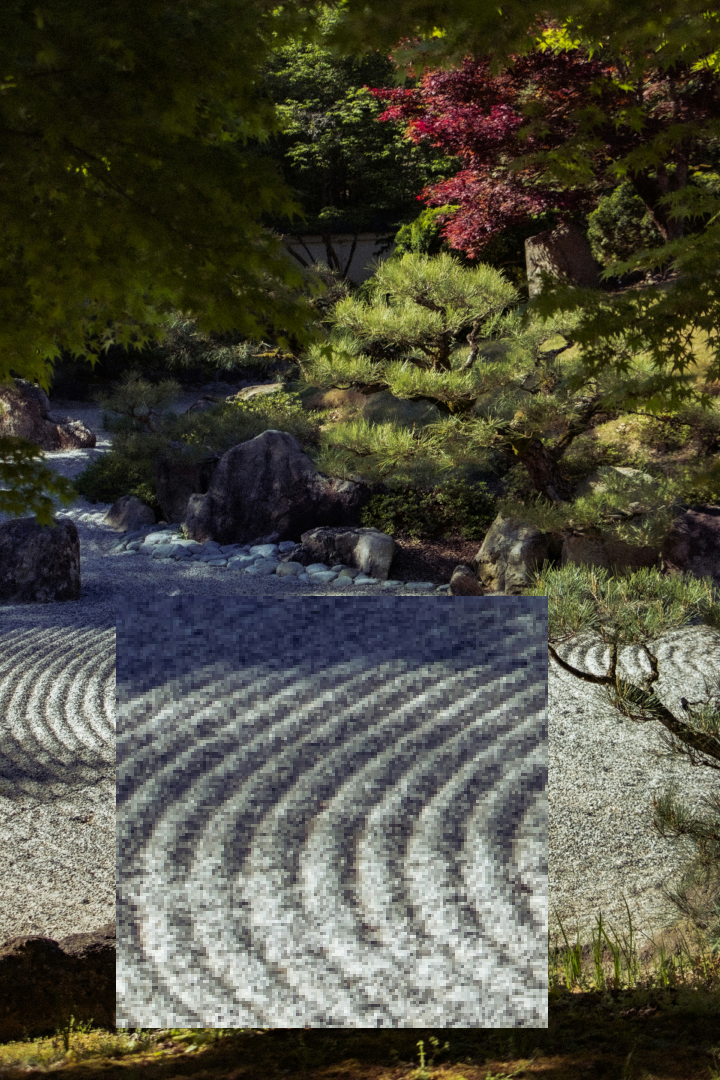
After:
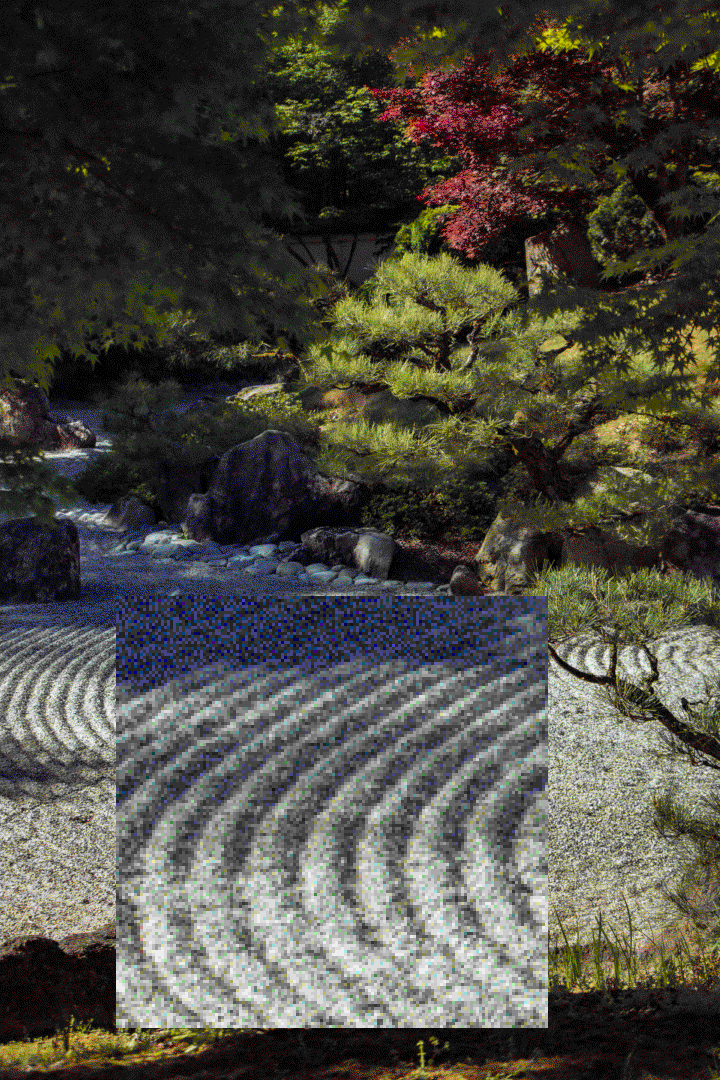
Recently, I've been messing around with 9front (with no success because I don't have the proper setup or need to use that OS TvT), and I've really been enjoying how it looks. I also like messing around with my Linux rice, so I wanted to make something inspired by rio. I also found out that 9front has documentation for a limted, 256-color palette, that I thought could be aesthetically pleasing, however they only gave the palette defined in this code:
      void
               setmaprgbv(uchar cmap[256][3])
               {
                   uchar *c;
                   int r, g, b, v;
                   int num, den;
                   int i, j;

                   for(r=0,i=0; r!=4; r++)
                     for(v=0; v!=4; v++,i+=16)
                       for(g=0,j=v-r; g!=4; g++)
                         for(b=0; b!=4; b++,j++){
                           c = cmap[i+(j&15)];
                           den = r;
                           if(g ;gt den)
                               den = g;
                           if(b ;gt den)
                               den = b;
                           if(den == 0) /* would divide check; pick grey shades */
                               c[0] = c[1] = c[2] = 17*v;
                           else{
                               num = 17*(4*den+v);
                               c[0] = r*num/den;
                               c[1] = g*num/den;
                               c[2] = b*num/den;
                           }
                         }
               }
I was a little upset at first, partially because the website didn't have a super readable font so I got scared, but then I remembered I know how to bullshit code. I used my trusty p5.js to create a simple program to display the color palette. From there, I could put it into Aseprite and have it generate a palette file for me. From there, I was able to put it into Dither It to change the color palette of my desired image.
Lucky for me, C syntax isn't too different from Javascript syntax, and the parts that I didn't understand I was able to deduce pretty easily. Here is the program in action:
You can view the source code Here.
From here, I was able to put it into Aseprite and get a palette from it, but to work with Dither It, I needed it to be formatted in JSON, which Aseprite wasn't able to do. I though that Lospec might've been able to help, but I didn't get the direct solution that I wanted. However, Lospec was able to export the palette as a list of hex codes, and with this I wrote another program (again using p5.js because it has some helpful file-reading functions) to reformat that file as the intended JSON and output it to the console. From there, I put it into Dither It, and got the result I wanted:
As you can see, it definitely shows up more in the darker sections. I know the original documentation of color(6) in 9front mentions that the palette isn't gamma corrected, so I'd assume this is why this effect shows up. Either way, I think it looks especially, as I'm using it for the background of my window manager.